How to Install OpenClaw: Self-Host or Managed (2026 Guide)
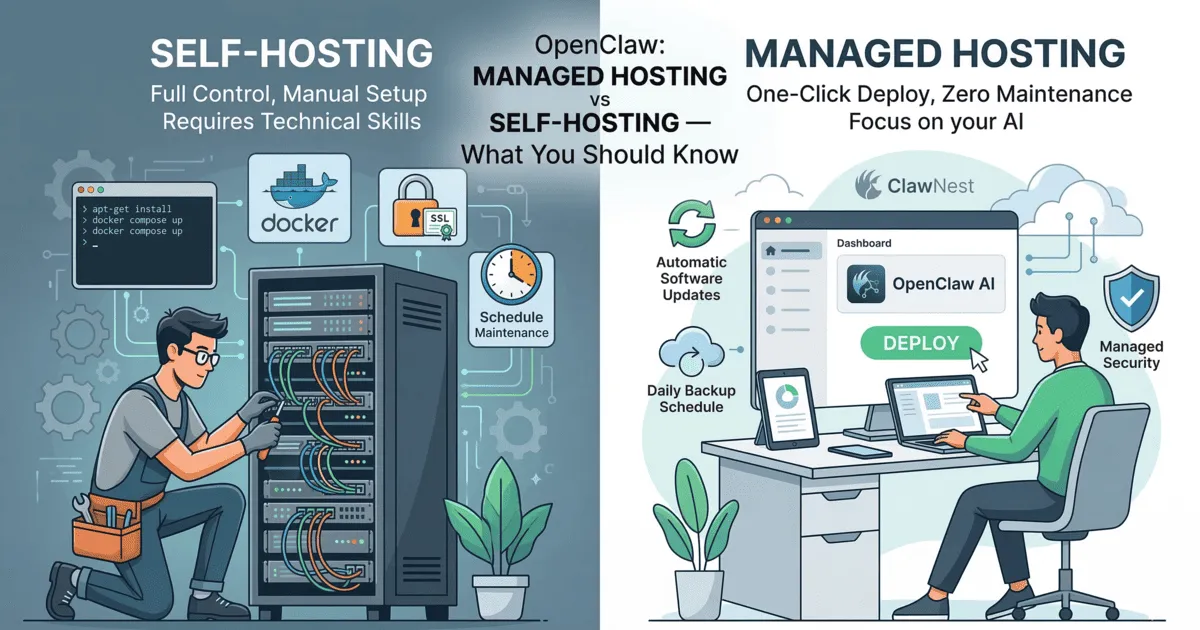
Short answer: There are two ways to install OpenClaw. Either you install it yourself on your own computer or a VPS with a few terminal commands, and then look after updates, security and uptime. Or you let a managed host run it for you. ClawNest is a Swedish managed host that runs your OpenClaw assistant on its own hardware in Swedish data centres.
This guide walks through both routes, what they require and what they cost, so you can pick the one that suits you.
What is OpenClaw, in one sentence?
OpenClaw is an open-source personal AI assistant. It can browse the web, read and write files, run commands and answer you in the chat apps you already use. It also remembers you between conversations. For the full background, read What Is OpenClaw?.
What you need before installing it yourself
- A supported operating system: macOS, Linux or Windows. On Windows, OpenClaw runs via WSL2.
- Node.js 24.22.1 or newer (on the 24 line) or 26.12.1 or newer (on the 26 line). Since OpenClaw 2026.10.6, it refuses to update on older versions, and Node 22, 23 and 25 have not been supported since 2026.9.3. Check your version with
node -v. - A machine that is on whenever you want to use the assistant. If you run it on a VPS, the minimum is 2 CPU cores, 2 GB RAM and 20 GB SSD.
- An AI account to connect, for example a ChatGPT subscription or an API key from Anthropic or OpenAI. OpenClaw is the assistant, but the AI model does the thinking.
Installing OpenClaw yourself, step by step
1. Install the program
On macOS and Linux:
curl -fsSL https://openclaw.ai/install.sh | bash
On Windows (PowerShell):
iwr -useb https://openclaw.ai/install.ps1 | iex
Or via npm, if you already have the right Node version:
npm install -g openclaw@latest
2. Run the onboarding wizard
openclaw onboard --install-daemon
The wizard helps you set up the gateway, connect channels and install skills. The --install-daemon flag makes OpenClaw run in the background as a service.
3. Open the dashboard
When the wizard is done, the dashboard is at http://127.0.0.1:18789/. There you can chat with the assistant and change its settings.
So far, so easy. It is what comes afterwards that takes time.
The ongoing work when you run OpenClaw yourself
Updates
OpenClaw now ships several releases a week, and some of them raise the requirements on the system underneath. One example: when the Node requirement was raised in October 2026, openclaw update suddenly stopped working for a lot of people. The fix is simple once you know about it, but keeping the runtime current is up to you. Read more in Why Your OpenClaw Update Suddenly Fails. Run openclaw doctor after every update to check that everything looks healthy.
Security
This is the most important point. Security researchers found more than 40,000 OpenClaw installations exposed to the internet, and over 12,000 of them could be taken over remotely. Most owners had simply kept the defaults.
The rules of thumb:
- Never expose the gateway port (18789) to the internet. Don't set up port forwarding on your router, not even "just to test the phone".
- Have the gateway listen only on
127.0.0.1. - Use a long, random token or password.
- If you need to reach it from outside, use a private network such as Tailscale, or a tunnel with authentication in front of it.
- Only install skills you have read, or that come from authors you trust. A skill runs with your assistant's permissions.
The full checklist is in 40,000 OpenClaw Agents Were Left Open to the Internet.
Staying on 24/7
OpenClaw's iPhone and Android apps do not run the assistant itself. They connect to your gateway. If the gateway is on your laptop and you close the lid, your assistant goes to sleep too. A desktop at home works until there is a power cut, a reboot after an update or a new router. A VPS stays on, but then networking, updates and security are your responsibility.
Backups
The assistant's memory, files and settings are what make it your assistant. If you run it yourself, you have to set up backups on your own, and ideally test that restoring actually works before you need it.
Does OpenClaw speak Swedish?
Yes. Which languages the assistant handles depends on the AI model you connect, not on OpenClaw. The large models, such as ChatGPT/GPT from OpenAI and Claude from Anthropic, handle Swedish well, so you can write to your assistant in Swedish and get answers in Swedish. Small local models are usually weaker at Swedish and also cope worse with OpenClaw's tool use. If you want the assistant to always reply in Swedish, just ask it to.
GDPR and where your data lives
When you run OpenClaw yourself, the assistant's data is wherever your computer or VPS is. With a VPS, that depends on where the provider's data centre is.
With ClawNest, the assistant, its memory and its files run on ClawNest's own hardware in Swedish data centres. Stockholm is the primary region, and Örnsköldsvik is the secondary site for backups and disaster recovery, on renewable hydropower. ClawNest AB is a Swedish company.
One thing matters however you run OpenClaw: conversations are processed by the AI provider you connect, for example OpenAI or Anthropic. What is sent to the model leaves your server. If you want full control there too, you can connect a local model, but bear in mind that small models are clearly weaker.
The managed route: OpenClaw with ClawNest
With ClawNest you need no terminal, no Docker and no config files. Here is how it works:
- Create an account at dash.clawnest.ai with email, Google, Microsoft or GitHub.
- Name your assistant and press Start my assistant. The first time, this also starts your free 3-day trial. No card is needed.
- Wait a minute or two while ClawNest builds a private container for the assistant in Sweden.
- Connect your AI in the chat. The first time, OpenClaw shows its Model Setup. Sign in with your ChatGPT account or paste an API key from, for example, OpenAI, Anthropic or OpenRouter. You only do this once.
- Say hello. In the first conversation, the assistant introduces itself and asks a few questions about you, so it remembers who you are.
After that you can talk to it in the browser, in the official OpenClaw mobile app (which you pair from the dashboard by scanning a code), or via Telegram, Discord, Slack and WhatsApp. Every assistant runs in its own isolated environment, the gateway is never exposed directly to the internet, and ClawNest handles OpenClaw updates and backups.
It costs from €12/month. You pay for AI usage directly to your own AI provider (or through your ChatGPT subscription), with no markup. Follow the step-by-step guide or see all prices.
Comparison: own computer, VPS or ClawNest
| Own computer | VPS | ClawNest | |
|---|---|---|---|
| Cost | The computer you have, plus electricity | about €5–20/month + your time | From €12/month |
| Effort | Installation, updates and security yourself | Installation, updates, security and backups yourself | A few minutes to get started, then handled for you |
| Always on | Only while the computer is on and awake | Yes, if you keep it running | Yes |
| Where data lives | At your home | In the provider's data centre | On ClawNest's hardware in Sweden |
In all three cases you pay for AI usage to your AI provider, and conversations are processed there. More about OpenClaw in Sweden at OpenClaw in Sweden.
Frequently asked questions
Is OpenClaw free?
Yes, OpenClaw is free and open source. What you pay for is the AI model you connect, and possibly a server or a managed host that runs the assistant for you.
Which Node.js version does OpenClaw need?
Since OpenClaw 2026.10.6, it requires Node.js 24.22.1 or newer on the 24 line, or 26.12.1 or newer on the 26 line. Node 22, 23 and 25 are not supported.
Can I install OpenClaw on Windows?
Yes. There is an install script for PowerShell, and OpenClaw runs on Windows via WSL2.
Does OpenClaw reply in Swedish?
Yes, if the AI model you connect handles Swedish. The large models from OpenAI and Anthropic do it well; small local models are weaker.
Does my data stay in Sweden with ClawNest?
The assistant, its memory and its files are on ClawNest's hardware in Sweden, with Stockholm as the primary region and Örnsköldsvik for backups. Conversations, however, are processed by the AI provider you connect.
Is it dangerous to run OpenClaw yourself?
Not if you do it right. Have the gateway listen only on 127.0.0.1, never open port 18789 to the internet, use a strong token, keep OpenClaw updated and be careful about which skills you install.
Try OpenClaw without installing anything
Would you rather use the assistant than run the server? Try ClawNest free for 3 days. No card needed, and your assistant is up and running in minutes.