OpenClaw: Managed Hosting vs Self-Hosting — What You Should Know
The Hosting Question
OpenClaw is open source — you can run it anywhere. That's one of its strengths. But "can run anywhere" doesn't mean every option is equal in terms of effort, cost, and reliability.
Since OpenClaw went from 9,000 to 60,000+ GitHub stars in January 2026, thousands of new users face the same question: should I self-host or use managed hosting?
This guide compares both approaches honestly, including where self-hosting wins.
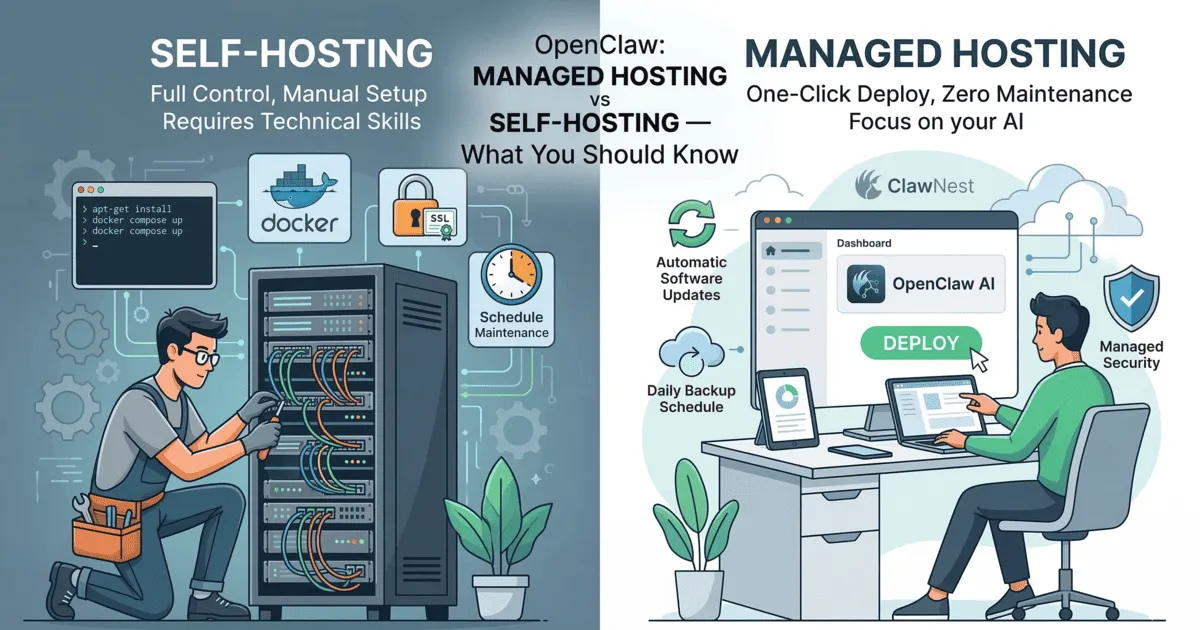
What Self-Hosting Actually Involves
Self-hosting means you rent a VPS (or use local hardware), install OpenClaw yourself, and take responsibility for everything that keeps it running.
Hardware Requirements
The OpenClaw docs specify these minimum requirements for a VPS:
| Resource | Minimum | Recommended |
|---|---|---|
| CPU | 1 vCPU | 2+ vCPU |
| RAM | 2 GB | 4 GB+ |
| Storage | 20 GB SSD | 40 GB NVMe |
| OS | Ubuntu 22.04+ | Ubuntu 24.04 |
| Runtime | Node.js 22+ | Node.js 22+ |
Docker is the recommended deployment method, which adds its own resource overhead.
The Setup Process
A typical self-hosted OpenClaw deployment looks like this:
- Provision a VPS — choose a provider (Hetzner, DigitalOcean, AWS, etc.), select a plan, and set up SSH access
- Secure the server — configure firewall rules, disable password authentication, set up Fail2Ban, enable automatic security updates
- Install Docker — install Docker Engine and Docker Compose
- Install OpenClaw — pull the image or install via npm, configure the gateway
- Set up networking — install and configure Nginx as a reverse proxy, obtain SSL certificates via Let's Encrypt, configure DNS
- Configure OpenClaw — edit
~/.openclaw/openclaw.json, set up channels, install skills - Set up backups — write backup scripts, configure cron jobs, set up off-site backup storage
- Set up monitoring — configure uptime checks, log rotation, alerting
For experienced Linux administrators, this takes 2–6 hours. For users learning as they go, it can take a full weekend or more.
Ongoing Maintenance
The initial setup is just the beginning. Self-hosting means ongoing responsibility for:
- OS updates — security patches, kernel updates, reboots
- Docker updates — keeping Docker and images current
- OpenClaw updates — manually pulling new versions, testing, and deploying
- SSL renewal — Let's Encrypt certificates expire every 90 days (auto-renewal needs configuration)
- Backup verification — regularly testing that backups actually work
- Security monitoring — watching for unauthorized access attempts, keeping Fail2Ban rules current
- Disk management — logs and Docker images fill up disk space over time
- Troubleshooting — when something breaks at 2 AM, it's your problem
Security Considerations
The OpenClaw documentation explicitly warns: because OpenClaw has direct access to your terminal and file system, deploying it in a strictly isolated environment is critical. The recommended security measures include:
- Running on a dedicated machine or VPS with no sensitive personal data
- Blocking direct access to OpenClaw's port 3000, using Nginx to handle external traffic
- SSH key authentication only, with password login disabled
- Fail2Ban for brute-force protection
- Automatic security updates enabled
Misconfiguring any of these exposes your server — and potentially your API keys and personal data — to the internet.
What Managed Hosting Provides
With managed hosting, you get a private OpenClaw instance that's always on, always updated, and accessible from any device. The provider handles infrastructure, security, and maintenance.
What ClawNest Manages for You
| Responsibility | Self-Hosted | ClawNest |
|---|---|---|
| Server provisioning | You | Managed |
| OS updates & patching | You | Automatic |
| Docker setup | You | Not needed |
| SSL certificates | You | Automatic |
| Firewall & security | You | Managed |
| OpenClaw updates | You | Automatic |
| Backups | You (scripts + storage) | Automatic daily |
| Monitoring & alerting | You | Built-in |
| Uptime | Best-effort | 24/7 infrastructure |
| Disaster recovery | You | Managed |
The Setup Process
- Sign up at dash.clawnest.ai
- Create an AI assistant, paste your API key, configure personality
- Click Deploy
Time: under 5 minutes. No terminal, no Docker, no SSH.
Cost Comparison
Cost is where self-hosting looks most attractive on paper. Let's break down the real numbers.
Self-Hosted VPS
| Item | Monthly Cost |
|---|---|
| VPS (2 GB RAM, Hetzner) | ~€4–8 |
| Domain name | ~€1 (amortized) |
| Backup storage (optional) | €1–5 |
| Infrastructure total | €6–14 |
| Your time (setup + maintenance) | 2–4 hours/month |
ClawNest Starter Plan
| Item | Monthly Cost |
|---|---|
| Managed hosting (1 AI assistant) | €12 |
| Backups, updates, monitoring | Included |
| Infrastructure total | €12 |
| Your time | ~0 hours/month |
The raw infrastructure cost of self-hosting can be lower — by roughly €4–8 per month. But this ignores the value of your time. If you spend 3 hours per month on maintenance and your time is worth even €15/hour, self-hosting actually costs €51–59/month in total.
For Multiple AI Assistants
On a VPS, you can run multiple OpenClaw instances on the same server (as long as resources allow). On ClawNest, additional AI assistants start from €8/month each.
| AI Assistants | VPS Cost | ClawNest Cost |
|---|---|---|
| 1 | €6–14 | €12 |
| 2 | €6–14 | €21 |
| 3 | €10–20 (may need bigger VPS) | €30 |
| 5 | €15–30 | €48 |
For users running 5+ AI assistants, self-hosting becomes more cost-effective in raw infrastructure terms — if you have the skills and time.
AI Token Costs
Both approaches use BYOK (Bring Your Own Key), so AI token costs are identical. You pay Anthropic or OpenAI directly at their published rates. ClawNest adds zero markup on AI usage.
Where Self-Hosting Wins
Let's be honest about the advantages:
- Full root access — complete control over the server, OS, and network configuration
- Custom networking — Tailscale, VPN tunnels, custom DNS, and advanced routing
- Local AI models — run Ollama or similar for on-device inference (requires 16 GB+ RAM)
- No vendor dependency — you own and control everything
- Cost at scale — running many AI assistants on one server can be cheaper per-assistant
- Learning opportunity — great way to build Linux and DevOps skills
Where Managed Hosting Wins
- Zero setup time — running in minutes, not hours
- Zero maintenance — no patching, no Docker, no certificate management
- Automatic updates — new OpenClaw versions deployed without downtime
- Automatic backups — daily backups with one-click restore
- Professional security — hardened infrastructure without configuring it yourself
- EU data residency — hosted in Sweden, GDPR-aligned by default
- Dashboard + GUI — manage everything visually
- Predictable cost — same bill every month, no surprise resource usage
Who Should Self-Host?
Self-hosting makes sense if you:
- Are an experienced Linux administrator who enjoys server management
- Need full root access for custom networking or local AI models
- Run 5+ instances and want to minimize infrastructure cost
- Want to learn DevOps and don't mind investing time
- Have compliance requirements that mandate your own hardware
Who Should Use Managed Hosting?
Managed hosting makes sense if you:
- Want OpenClaw running 24/7 without managing servers
- Value your time over saving a few euros per month
- Don't have Linux/Docker experience (or don't want to use it for this)
- Need reliable backups and automatic updates
- Want EU data residency without configuring it yourself
- Are running a business and need predictable costs
The Honest Take
Self-hosting is a legitimate option — OpenClaw is open source specifically so you can run it however you want. If you're a Linux pro who enjoys infrastructure work, go for it.
But for most people, the math favors managed hosting. The €12/month for ClawNest's Starter plan buys you hours of time back every month, professional-grade security you'd have to configure yourself, and the peace of mind that your assistant is always running and always backed up.
The best part of BYOK hosting: your data stays yours either way. ClawNest never accesses your AI conversations or API keys beyond what's needed to run the service.
Ready to skip the server setup? Start with a free 3-day trial — no credit card required. Already self-hosting and want to migrate? Reach out on Discord and we'll help you move over.